10 Best Virtual Reality Technologies for Business in 2026?
In 2026, Virtual Reality Technology is becoming a practical business tool, not just a striking headset demonstration. Companies use immersive systems to train staff, review designs, support remote collaboration, and rehearse complex tasks. The value, however, depends on the work being done. A headset alone rarely fixes a slow process or unclear training plan.
Meta CEO Mark Zuckerberg described the metaverse as “the next evolution of social connection.” That vision helps explain business interest, but buyers need more than a promising slogan. This overview examines ten technologies, from standalone and PC-connected headsets to eye tracking, haptics, spatial computing, and VR collaboration platforms. It also considers simulation, immersive training, digital twins, and usage analytics. The comparisons focus on practical factors: comfort during long sessions, deployment effort, content quality, device management, accessibility, and measurable outcomes. Details matter. A training team may value reliable hand tracking, while a design studio may need precise visual scale and workstation integration.
Not every feature earns its cost. A vivid virtual factory can still feel awkward if controls confuse new users or updates interrupt a session. The right choice varies by team size, task, and existing systems. This guide offers a grounded starting point, not a universal ranking. Evidence from pilots should shape purchasing decisions, and some benefits remain difficult to measure. That uncertainty deserves attention.
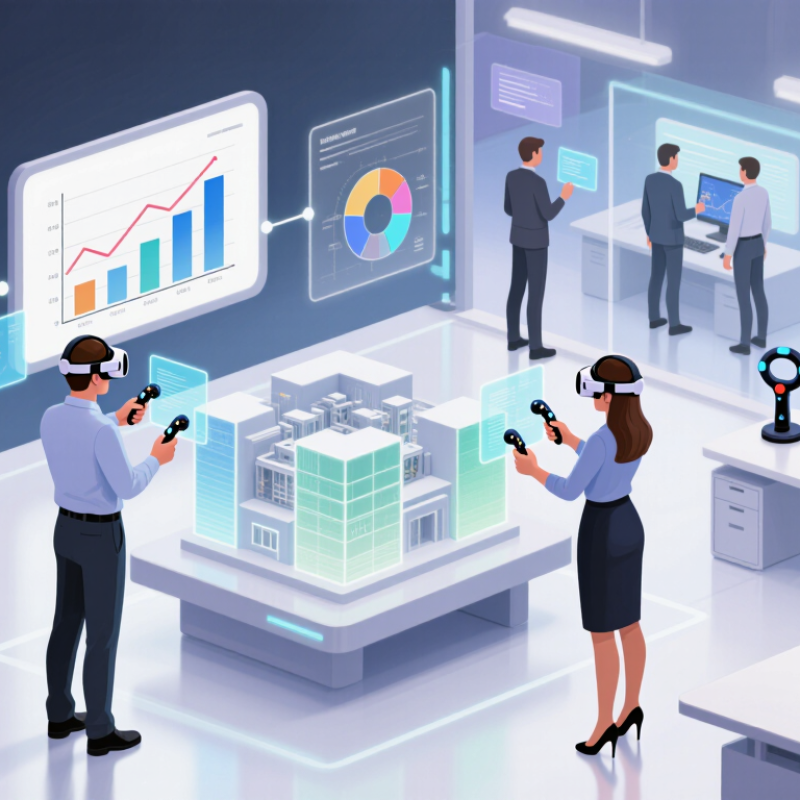
Foundations of Virtual Reality Technologies for Business
Virtual reality in business rests on a connected set of hardware and software. A headset displays a stereoscopic scene, while cameras or sensors track head and hand movement. Controllers, hand tracking, and spatial audio help people interact with virtual objects. A reliable computer or standalone device must render scenes smoothly; even brief stuttering can distract users or cause discomfort.
The foundation is not just the headset. 3D models, interaction design, and network performance shape whether a virtual task feels useful. In a maintenance simulation, a worker might inspect a pump, lift a virtual panel, and follow a highlighted sequence. Clear labels and realistic scale can support practice, but excessive detail may slow the lesson. Simple can be better. Comfort also needs attention: sessions should allow breaks, and users need clear boundaries around their physical space.
Business teams should define the task before selecting equipment. Training, design review, and remote collaboration each need different levels of realism and interaction. They should also test devices with intended users, including people who wear glasses or have limited mobility. Collect only the usage data needed to evaluate a program, and explain what is recorded. Maintenance, device cleaning, software updates, and content revisions take time. That cost is easy to underestimate. A small pilot can reveal workflow problems, though pilot results may not predict adoption across an entire organization.
How Business VR Technologies Are Evaluated in 2026
In 2026, business VR should be evaluated by what employees can do afterward, not by headset resolution alone.
Test a realistic task: Can a technician identify the right valve under time pressure, or can a new manager handle a difficult conversation? Record completion time, error rates, skill retention, and whether performance improves back at work. A 2020 enterprise report on virtual reality soft-skills training found that VR learners trained four times faster than classroom learners and felt 275% more confident applying skills. Those results are encouraging, but they do not guarantee the same gains in every role.
Measure the transfer. Compare VR with the current training method using the same task and assessment. Check comfort during longer sessions, accessibility options, setup time, support needs, and the cost of updating content. In a busy warehouse, a five-minute delay for headset setup matters. So does a simulation that runs smoothly but fails to reflect the actual workflow. A headset demo can still look impressive while teaching little.
Review how the system handles training data, and ask whether managers can see useful progress without collecting unnecessary details. Track results over several weeks, not just immediately after a session. Some measures will be messy: attendance is easy to count, but confidence is harder to verify. That gap deserves attention. Evaluation should include employee feedback and a clear plan for revising scenarios when real work changes.
Ten Leading Virtual Reality Technologies for Business in 2026
Ten leading virtual reality technologies for business in 2026 are becoming practical tools, not just visual novelties. Standalone headsets reduce setup needs. Inside-out spatial tracking maps a training room without external sensors, while hand and eye tracking make controls feel more natural. Spatial audio helps workers locate a warning or teammate. Haptic feedback adds physical cues, though it cannot reproduce every real-world sensation.
Digital twins let maintenance teams inspect a virtual machine before touching its physical counterpart. Multi-user rooms support design reviews across distant offices. AI-adaptive simulations can change difficulty as a learner responds. Device analytics show whether headsets are being used and where sessions fail. These ten technologies work best when tied to a specific task, such as practicing a safety check or rehearsing equipment repairs.
Evidence is promising, but not universal. PwC’s 2020 study found VR learners completed training up to four times faster than classroom learners and reported 275% greater confidence. Capgemini Research Institute’s 2018 survey found 82% of organizations using augmented or virtual reality said benefits met or exceeded expectations. That figure combines both technologies and reflects surveyed organizations, not every workplace. Comfort, accessibility, and careful measurement still need attention. A headset alone changes little.
Implementation, Integration, and Business Value
For business, virtual reality creates value when it improves a measurable task, not merely when a headset looks impressive. PwC’s 2020 report, The Effectiveness of Virtual Reality Soft Skills Training in the Enterprise, found that participants completed training four times faster than classroom learners and felt 275% more confident afterward. These findings came from a specific training context, not every workplace. Treat them as a reason to run a pilot, not a guaranteed return.
Start with one costly, repeatable process: equipment inspection, emergency drills, or customer conversations. Connect the simulation to existing learning systems, single sign-on, and workforce records, so managers can track completion without duplicate data entry. Measure time to proficiency, error rates, and instructor hours before and after deployment. Keep the setup simple. Device charging, headset fit, and cleaning can disrupt a shift more than expected. Integration also needs attention: a realistic scene is less useful if results cannot reach the systems teams already use. One limitation remains. Immersion can distract as well as teach. Small pilots reveal that sooner.